
Deploy from private container registries with secure credential management — store registry credentials at the team level and select them when creating applications from Docker images.
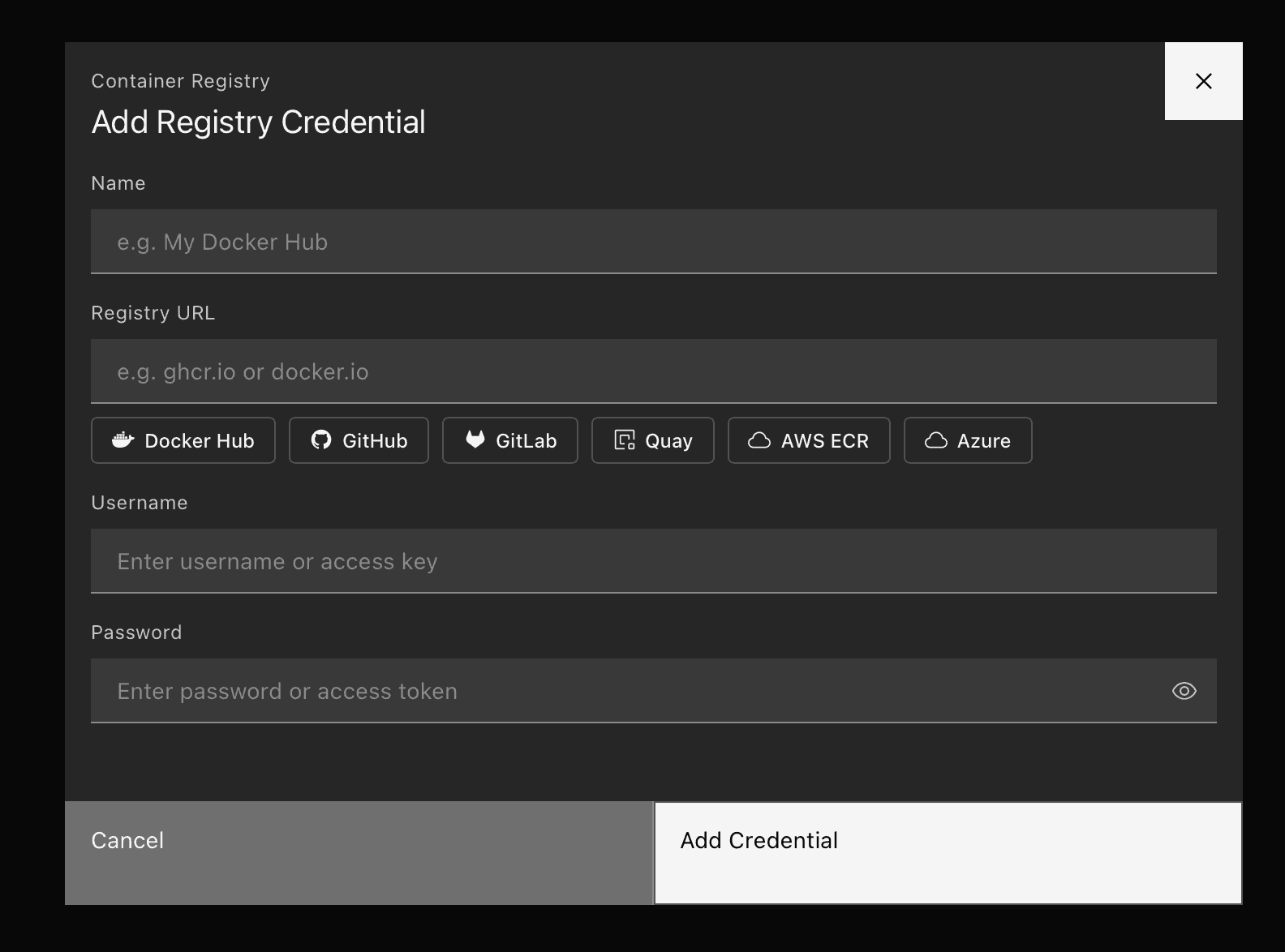
Registry credentials
- Team-level management — Add, view, and delete registry credentials from Settings. Each credential stores a name, registry URL, username, and password.
- Provider presets — Quick-fill buttons for Docker Hub, GitHub Container Registry, GitLab, Quay, AWS ECR, and Azure Container Registry. Click a preset to auto-populate the registry URL.
- Secure storage — Passwords are stored securely and never returned in API responses.
Create app integration
- Credential selector — A dropdown next to the image name input lets you pick a saved credential or deploy without authentication.
- Automatic image path resolution — When a credential is selected, OutPlane resolves the full image path based on what you enter:
nginx:latest→ghcr.io/username/nginx:latestusername/myapp:v1→ghcr.io/username/myapp:v1ghcr.io/username/myapp:v1→ unchanged
- Manage credentials link — Jump directly to Settings from the credential dropdown to add new credentials without leaving the flow.
Supported registries
Any Docker-compatible registry works. Built-in presets for:
- Docker Hub (
docker.io) - GitHub Container Registry (
ghcr.io) - GitLab Container Registry (
registry.gitlab.com) - Quay (
quay.io) - AWS ECR (
.dkr.ecr..amazonaws.com) - Azure Container Registry (
.azurecr.io)
Getting started
Navigate to Settings → Registry Credentials to add your first credential, then create a new application using the Docker Image source and select your credential from the dropdown.