
Stop copy-pasting the same env vars across apps. Environment Variable Groups let you define shared configuration once at the team level, then link the group to any app that needs it.
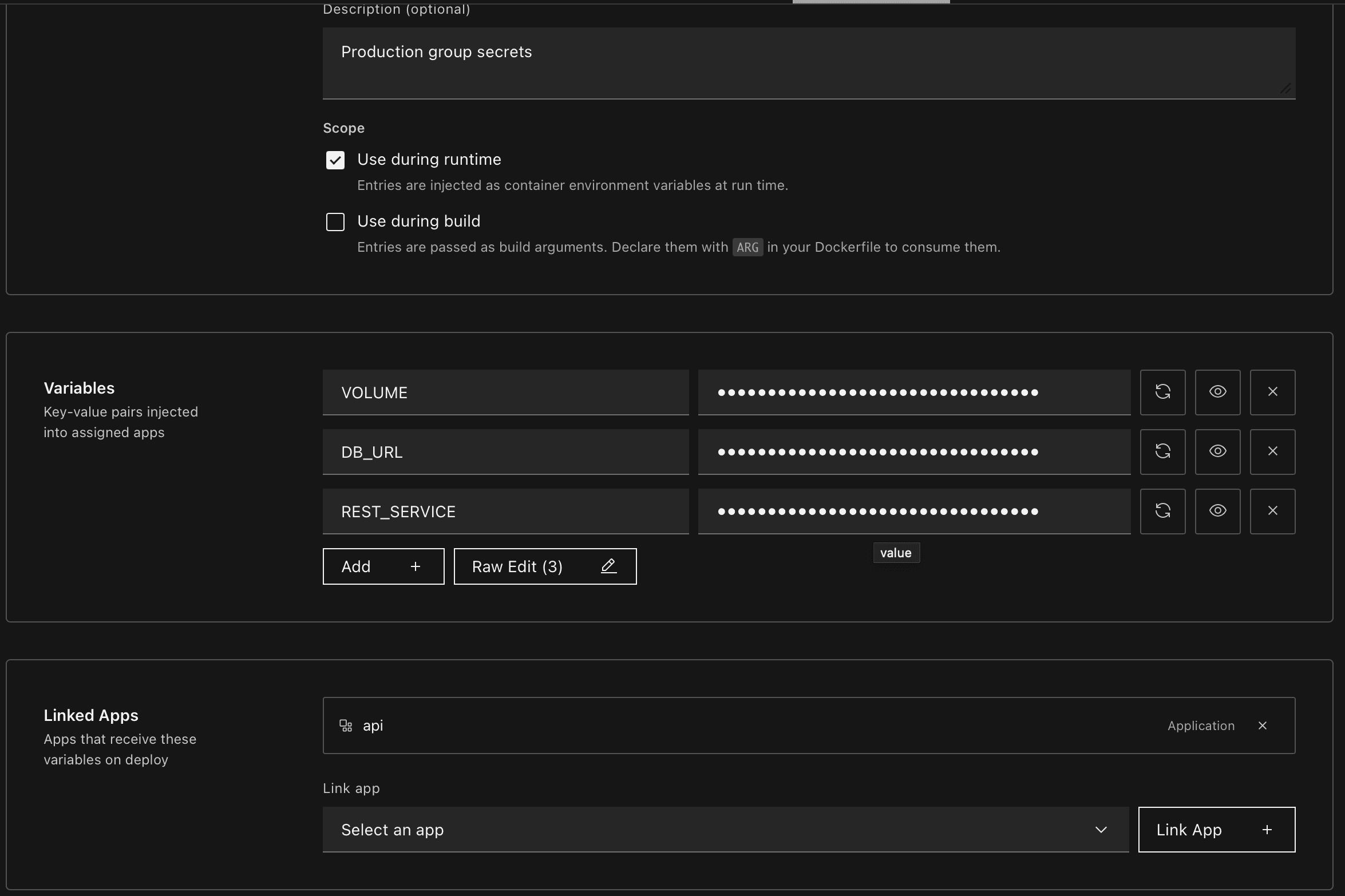
Define once, link anywhere
Create a named group (e.g. prod-secrets, observability-keys, feature-flags) with a set of key/value pairs, then link it to one or many apps in your team. Edit a value in the group and every linked app picks it up on the next deploy — no more hunting down which app has which variable set.
Runtime, build, or both
Each group carries a scope that decides where entries land:
- Use during runtime — entries are injected as container environment variables at run time
- Use during build — entries are passed as build arguments; declare them with
ARGin your Dockerfile to consume them
Pick one or both per group, so the same key can feed a BuildKit arg and a runtime env when you need it.
Predictable conflict rules
App-local variables always win over group values on the same key — so an app can carve out a narrow override without forking the whole group. When multiple groups define the same key, the most recently linked group wins, deterministically.
Where to start
Head to Settings → Environment Groups to create your first group. Open any app's Environment tab to link groups from the team pool.